Help articles
CATEGORY: Feature Updates
e-shot feature update – December 2024

On Thursday 12th December, e-shot saw its latest and last feature update for 2024! The key mention for this release is the introduction of SMS forms, a brand-new way to gain new subscribers if you only require their SMS number (no email).
SMS sign up forms
Many of you will already be familiar with e-shot sign up forms. In this release we have simply re-created this functionality for SMS.
Many of our customers often say they only need to collect an SMS number for certain audiences you send to. This new addition will allow you to do so.
The functionality is essentially the same as the email sign up forms, however instead the SMS number is the mandatory field and other fields such as the email address can be added if desired.
If you wish to create an SMS sign up form, head to Forms > Sign up forms and use the ‘New sign up form’ button.
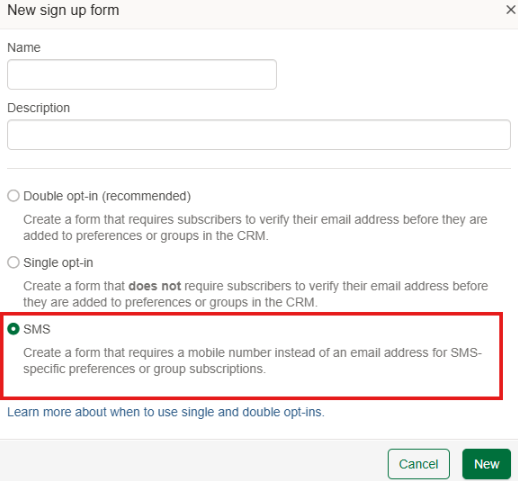
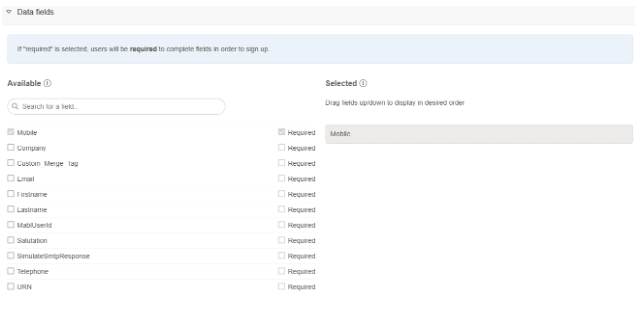
When setting up your form, the SMS field will be mandatory no matter what but like the email forms, you can use all your other fields and make them required if need be.
A completed SMS form will look something like this...

Please note the Cloudflare verification is there for all SMS forms to prevent spam sign ups. You will only be able to sign up if you pass the Cloudflare verification.
Other enhancements
Resend double opt in emails
On step 4 for double opt in sign up forms, users will now have the ability to specify if they wish to re-send the double opt in email.
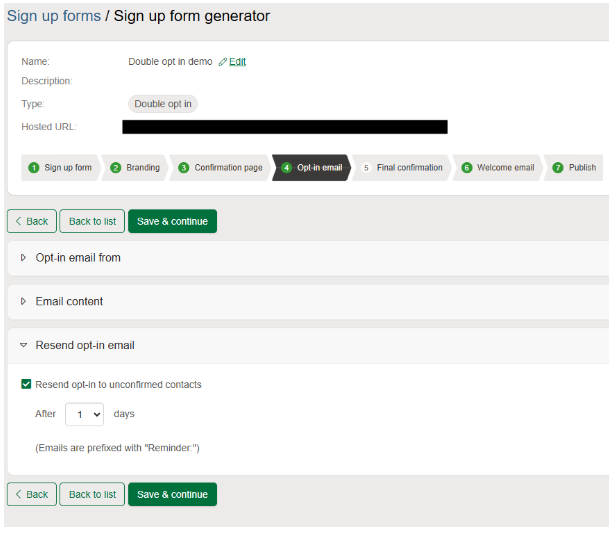
The dropdown allows you to resend the email from 1-7 days after the contact signs up.
Please note the reminder will only be sent if the contact doesn't confirm their subscription in that time frame and the reminder will only be sent once per sign up.
Smart Editor auto save

In the above image you will find there is now a grey pillar next to the close and save buttons which let you know when a save is taking place on your design. When a save is taking place, the usual close, save and save and close buttons will be greyed out and not clickable. This is to prevent users from closing their work or overriding an existing save taking place.
However, please note when a save is taking place, you can continue to work on your design and the next auto save will commence after.
Other updates:
Globally set saved filters were previously editable to ordinary users. This is no longer the case
When a resend campaign was done. AMP elements were affected. This has been resolved.
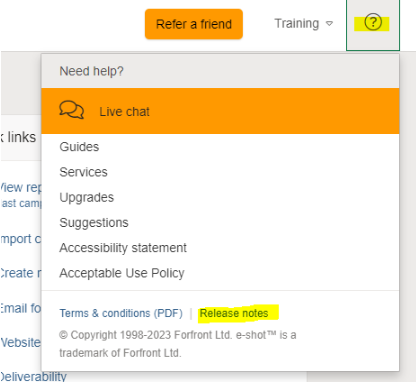
That's all the key points this month's release, for the full release notes, please refer to the release notes section here, when you are logged into e-shot.
You may also like these articles
.png)
Feature Updates
e-shot feature update – July 2024
July 19th, 2024 - Harry Thomas
On Thursday 18th July, e-shot saw its latest feature update. A release that sees changes to some of e-shot's most used areas, the templates...
Feature Updates
e-shot feature update – September 2024
September 20th, 2024 - Harry Thomas
On Thursday 19th September, e-shot saw its latest feature update. Following on from July’s release, a major piece of work that went into this...
Feature Updates
e-shot feature update – October 2024
October 31st, 2024 - Harry Thomas
On Thursday 3rd October, e-shot saw its latest feature update. This release saw further enhancements to both the new campaigns and new analytics...
Solutions

Email Marketing
Create email campaigns and newsletters and manage end-to-end subscription processes with forms and preferences.

Marketing Automation
Create sophisticated automated campaigns for email and SMS combined.

Digital Communication
The comprehensive solution to manage and automate your digital communication across email, SMS, websites and landing pages.

Email marketing healthcheck
We are confident that we can help you, which is why we offer a free healthcheck to identify potential issues with your current programme and free advice on things that could be done to improve it.