Help articles
CATEGORY: Feature Updates
e-shot feature update – October 2024
On Thursday 3rd October, e-shot saw its latest feature update. This release saw further enhancements to both the new campaigns and new analytics experiences, various bug fixes/enhancements as well as a brand-new feature in the form of Sign-up form QR codes.
New campaigns and new analytics:
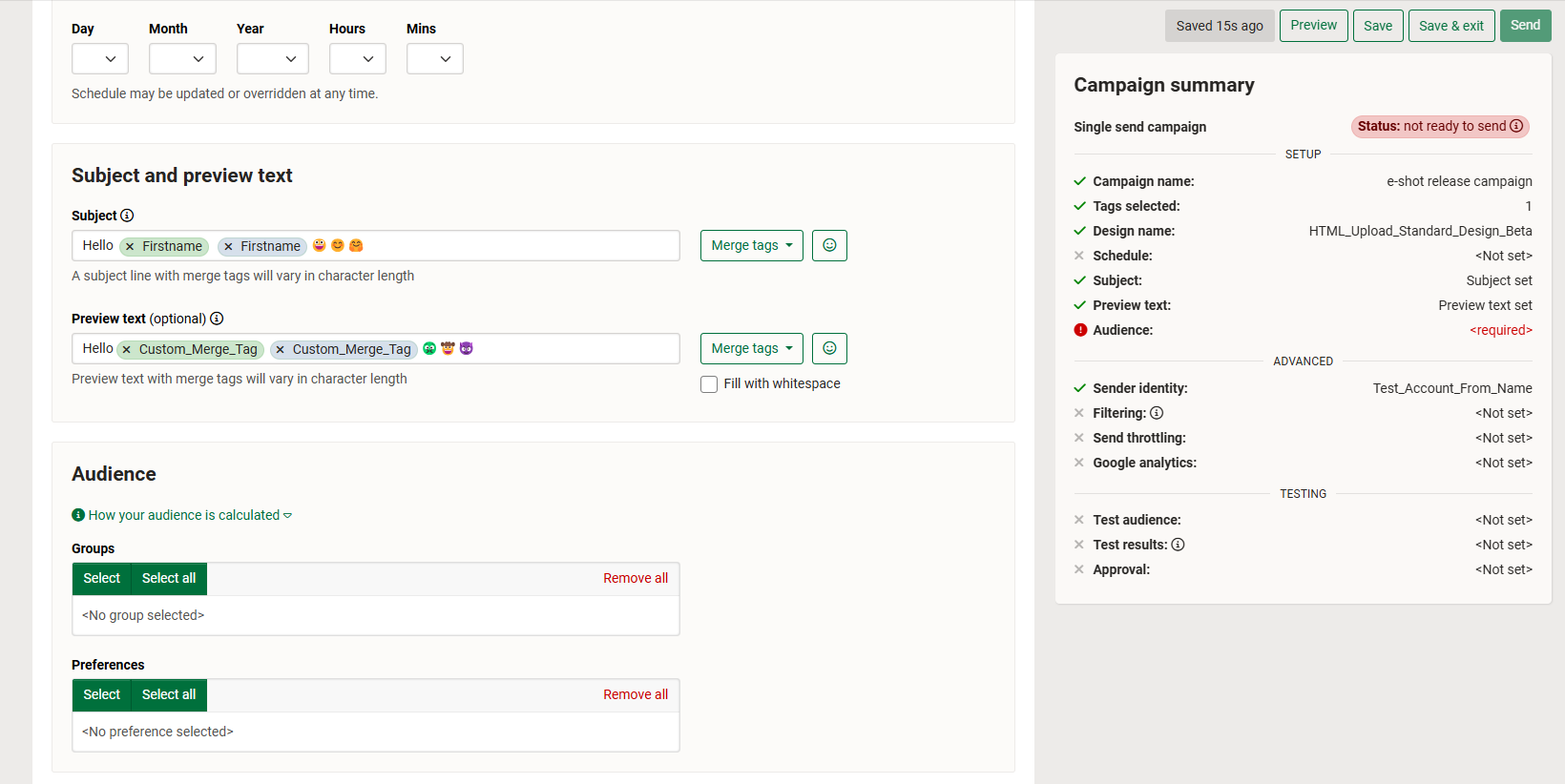
The ‘Campaign summary’ tab on the right-hand side when within the campaign, will now automatically move with the page as the user inputs a scroll. Thus, meaning the campaign summary as well as the send and save buttons can always be accessed even if you have scrolled all the way to the bottom of the campaign. See below the ‘Campaign summary’ shows on the right-hand side despite being at the bottom of the page.
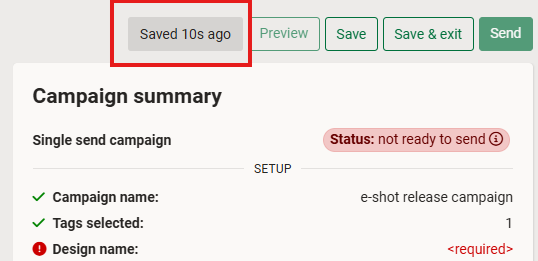
Enhancements made to the auto save function within new campaigns. Toastr’s will no longer consistently pop up after each change and instead we will show a save box along with the save buttons, notifying you when the last save was made.
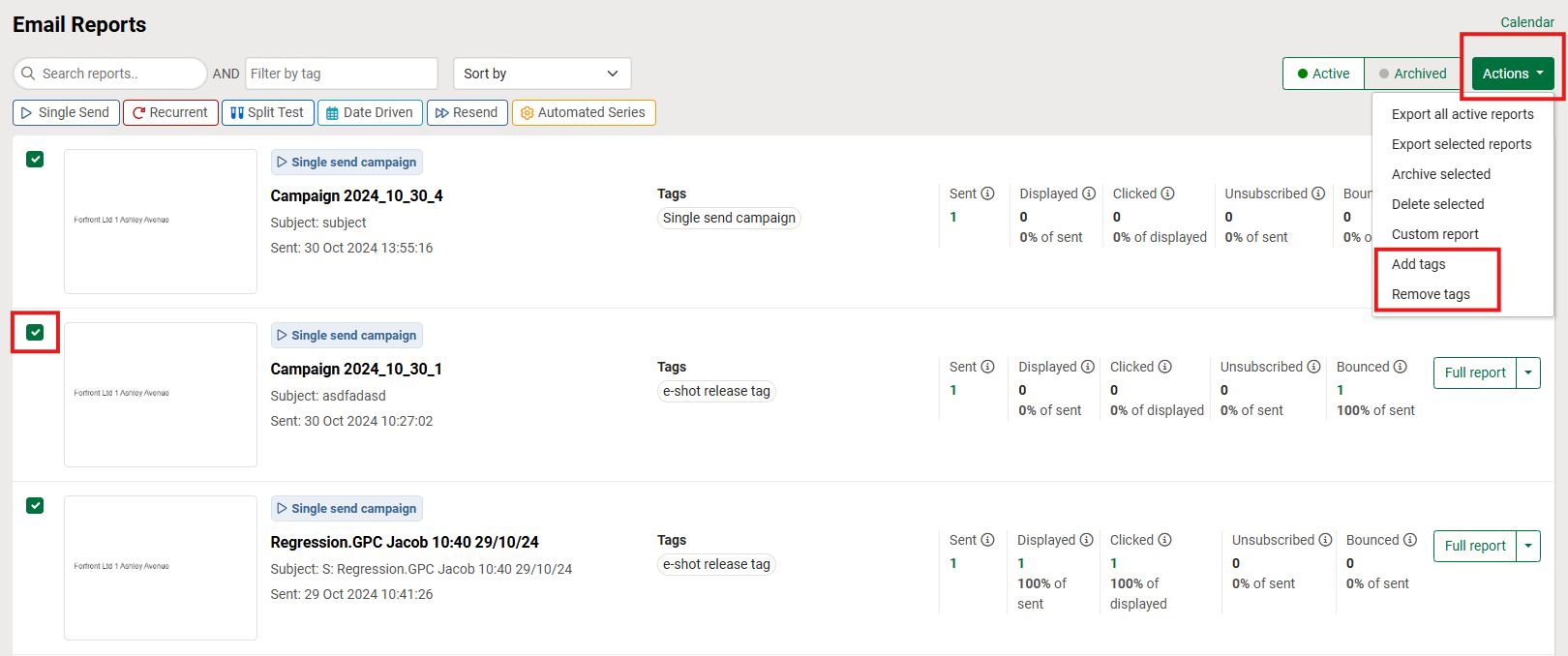
Campaign tags can now be amended after the campaign has been sent (removed or added). Please see the shorts below.
Several other performance-based enhancements to new campaigns and analytics.
Sign up form QR codes:
With every sign-up form created within e-shot, including ones created prior to this release, you will now be provided with a QR code.
When scanned the QR code will take you to the corresponding form. This provides you with another option to share and gain sign ups on your form. The use of a QR code is particularly useful for printed materials such as leaflets.
The QR code for a form can be accessed from inside the sign-up form but also separately another one will be provided within the landing page if you choose to host your form on an e-shot landing page.
As seen below the QR code can be found on the right-hand side and provides you with an option to download the QR code as an SVG or copy the link to the QR code.

A new column has been added to the sign-up forms section labelled ‘QR code sign-ups’. Under this column you will find the number of contacts that have entered their email address into your form after having scanned the QR code linked to the form.

Other updates:
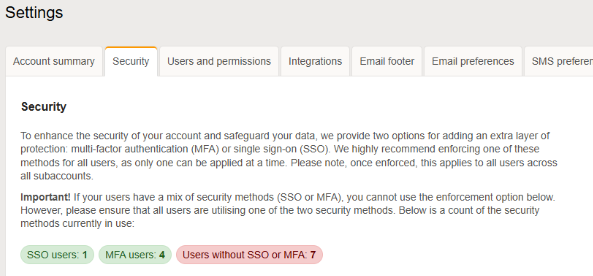
Account settings > Security tab now shows a count for the number of users using MFA, SSO or neither.
Multiple enhancements to the accessibility of e-shot forms once embedded in a webpage. The key changes include the following:
The escape key will close the form when focuses or not.
Tabbing key allows the user to tab through each option on the form.
Close button has been switched to an ASCII character with the focus state tidied.
A title attribute has been added which allows screen readers to ID the content.
When logging in for the first time using MFA, the user will be able to use SMS as a form of authentication as well as the standard MFA authenticator apps.
Various other minor enhancements and fixes.
That's all the key points this month's release, for the full release notes, please refer to the release notes section here, when you are logged into e-shot.
You may also like these articles
Feature Updates
e-shot feature update – June 2024
June 14th, 2024 - Harry Thomas
On Thursday 13th June, e-shot saw its latest feature update. This release was predominately focused on minor fixes and enhancements, however there...
.png)
Feature Updates
e-shot feature update – July 2024
July 19th, 2024 - Harry Thomas
On Thursday 18th July, e-shot saw its latest feature update. A release that sees changes to some of e-shot's most used areas, the templates...
Feature Updates
e-shot feature update – September 2024
September 20th, 2024 - Harry Thomas
On Thursday 19th September, e-shot saw its latest feature update. Following on from July’s release, a major piece of work that went into this...
Solutions

Email Marketing
Create email campaigns and newsletters and manage end-to-end subscription processes with forms and preferences.

Marketing Automation
Create sophisticated automated campaigns for email and SMS combined.

Digital Communication
The comprehensive solution to manage and automate your digital communication across email, SMS, websites and landing pages.

Email marketing healthcheck
We are confident that we can help you, which is why we offer a free healthcheck to identify potential issues with your current programme and free advice on things that could be done to improve it.