Help articles
CATEGORY: FAQsSettings
Keeping your e-shot account secure
e-shot offers a high level of security to keep its users safe.
The system offers users a choice of enhanced authentication when they sign in and administrators and security officers can choose from a selection of enhanced security options to enforce across the organisation.
e-shot helps to achieve this in 5 key ways
1. Training
As part of your onboarding, we will arrange training for all your users.
We provide two levels of training
Training sessions for users
Training sessions for administrators
Administrator training includes all aspects of account management, including how to set up new users, enforce enhanced security, apply role restricted access, deactivate user access, how to view activity logs along with more in-depth training on the functionality of the platform.
User training gives users operational training on how to sign in, and key features and functions of the platform, along with full details of how to access additional help, whether that is through our on-line resources, approaching the account administrator (for example if they are experiencing issues with resetting their password) or by contacting our Customer Success team.
We do not limit, or charge based on the number of users that you can have active in your account to ensure that we are not putting a financial penalty on increased per user audit. All users must use their own login with their own security credentials. When contacting the Customer Success team, they will always verify identity where the query requires certain privileges or is security related.
2. Administrator Access and role restricted access for users
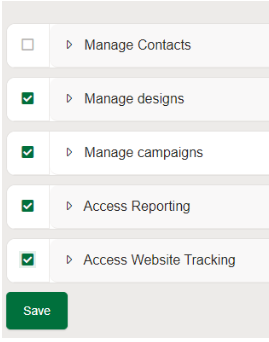
Account administrators have complete control over user management including role-based and restricted access to sensitive sections e.g., Contacts (CRM) section.
When setting up new users, Administrators are encouraged to consider the level of access their users need to ensure, for example, only those users that need to work with contacts data have access to it. The nature of email communications means the data that users would be processing includes linked and linkable Personal Identifiable Information (PII) and even, depending on your business, personal data that is considered Special Category due to its sensitive nature, so it is important to ensure that users with the appropriate authority are able to access your data and that they are fully aware of their data security responsibilities and obligations.
We strongly advice to reflect GDPR and ICO recommendation to schedule regular reviews of your user data as well as making sure you have a process to add new users and remove users who have left the organisation or no longer need access.
3. Activity Audit logs
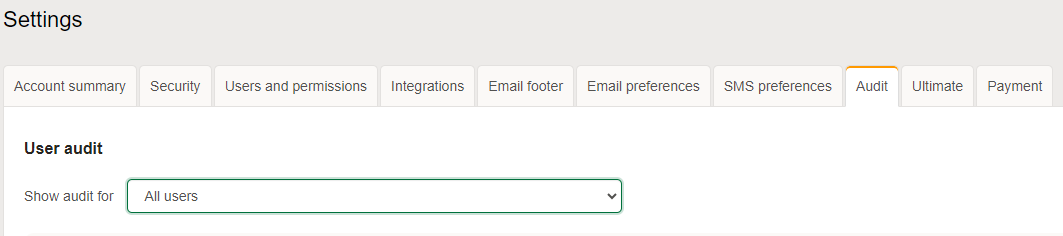
In the settings section of the platform, Administrators can view activity logs of all users, at subaccount level (Settings > Account settings > Audit).
4. Enabling access restriction by IP (or range), for users and API calls.
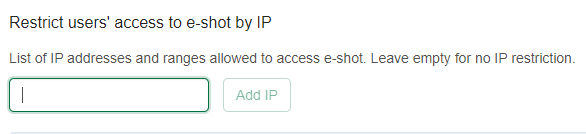
You can set access restrictions by IP or CIDR for both user access and API access for increase security. If this is something that you are interested in, simply contact the Customer Success team.
5. MFA and Single Sign-on (SSO)
For added security, to enhance the required email and password, we recommend account administrators enforce either MFA or SSO for their users.
Both options can be enforced for all users in Settings > Account settings > Security.
Please use our dedicated help documents for more details on MFA and SSO.
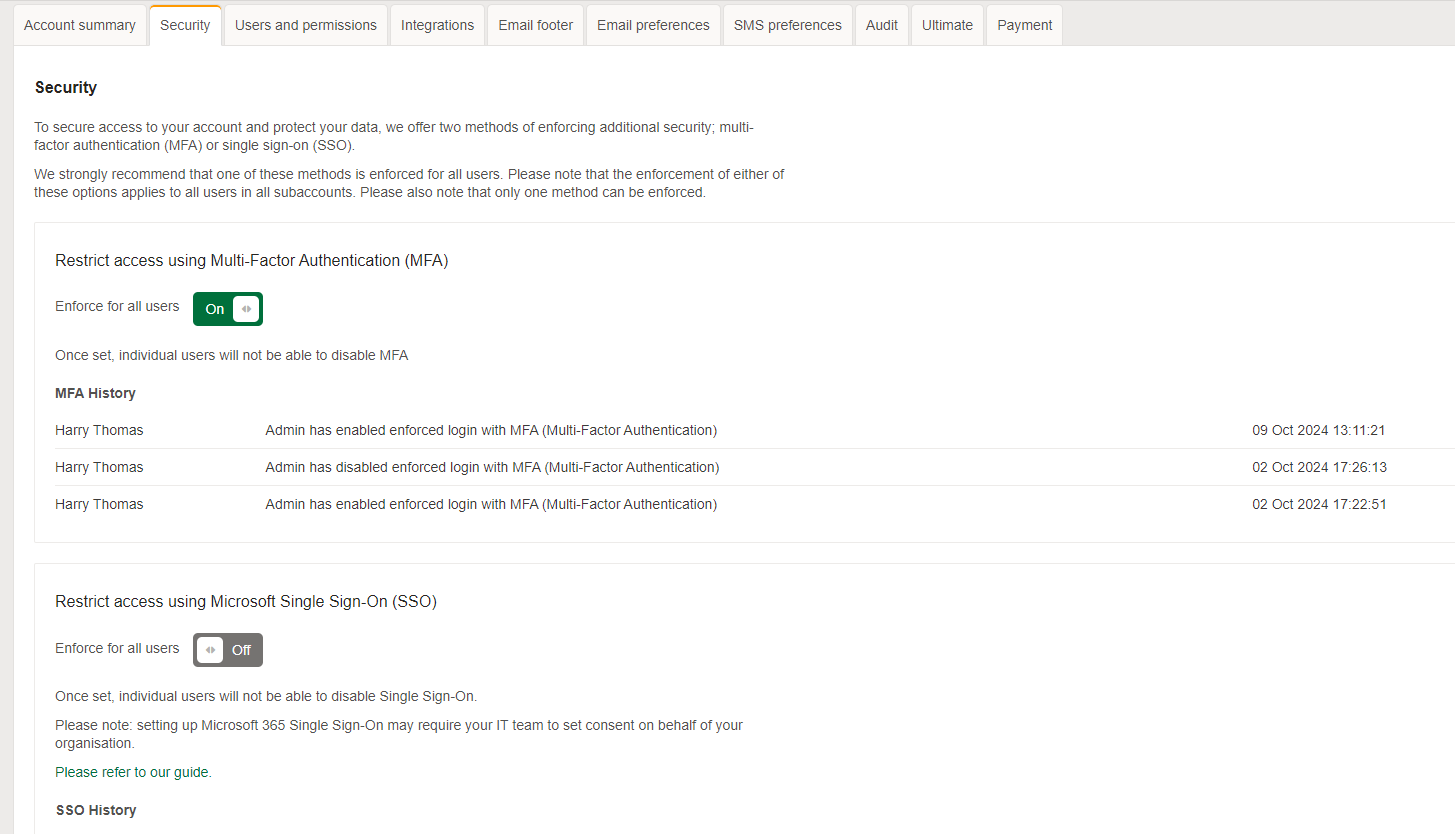
On the Settings > Security page, account admins can also see the number of users that are using either MFA or SSO as well as the number of people not using either. These numbers can be looked at before you decide which option to enforce, as it may be the better option for you and your users to enforce the one that is more widely used.
.png)
6. Service and Security – more than just a Software as a Service
e-shot is not a typical SaaS when it comes to the level of help and support, we offer. We offer software and a service, and we’re proud that our customers feedback highlights that this sets us apart from the competition.
We offer help, training, consultancy, best practices with a team of experts always on hand to assist, whether you need marketing or technical assistance.
e-shot offers further enhanced security through:
Each client account is ring-fenced with their own separate database.
Users sign in with enhanced authentication.
Users must sign in individually with only one concurrent login session allowed per user.
All login attempts including fails are recorded.
Invalid login attempts are restricted.
The change and forgotten password policies use a low friction reCAPTCHA to prevent automated bot activity.
You may also like these articles
help-articles FAQs Settings
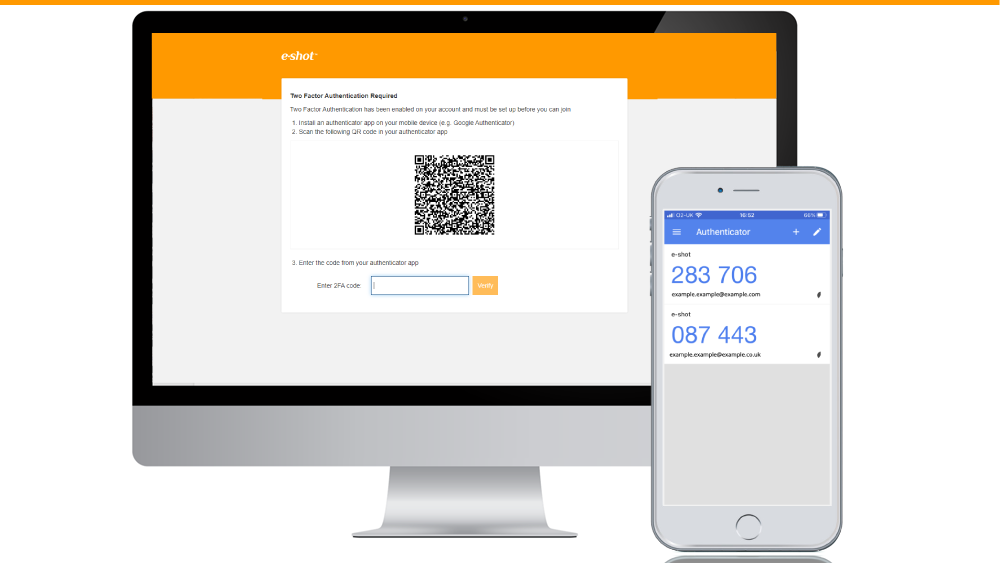
Enabling MFA: Administrator Guide
November 12th, 2020 - Sadie Burgess
To protect your security, you should restrict access to your account by using Multi-Factor Authentication (MFA). You will sign in using your email,...
Settings help-articles
Enabling SSO with Microsoft 365: Administrator Guide
June 7th, 2023 - Harry Thomas
This guide is intended for your IT support team to enable authorised e-shot users to sign in to e-shot by using their Microsoft 365 credentials....
Spotlight on security
Spotlight on security
March 7th, 2024 - Sadie Burgess
In line with Government and NCSC advice around cybersecurity, we are taking a proactive approach to safeguarding our solutions from the increased...
Solutions

Email Marketing
Create email campaigns and newsletters and manage end-to-end subscription processes with forms and preferences.

Marketing Automation
Create sophisticated automated campaigns for email and SMS combined.

Digital Communication
The comprehensive solution to manage and automate your digital communication across email, SMS, websites and landing pages.

Email marketing healthcheck
We are confident that we can help you, which is why we offer a free healthcheck to identify potential issues with your current programme and free advice on things that could be done to improve it.