Help articles
CATEGORY: FAQsCRM
CRM FAQs
How do I add a list of contacts into e-shot?
If you need to add a large list into e-shot, you can easily upload a file into the system using our import function. For the details on how to do this, please see our import help article here.
Why does my import have errors?
If your import has errors, it will be marked in red. If you click the red ‘Errors’ pill. An invalid rows file will be downloaded on your computer for you to open and see which rows in your file errored and why. Common errors include no email being present or an email that doesn't contain a key element e.g. (.com).
How do I add a singular new contact?
To add a new contact, head to CRM > Contacts. In the top right of this page, you will find the ‘Add contact’ button. Upon clicking this button, you can add the contacts email address and any other fields as well as specify which groups or preferences you would like them to be part of.
What are test contacts?
Test contacts are friends, colleagues and peers from whom you wish to receive feedback or sign off before sending your campaign to your wider audience. They are separated off from your normal recipients to ensure test emails do not count towards email credit usage.
How do I add, edit or delete a test contact?
If you’re a account or sub-account admin, you can do this by heading over to the CRM > Groups page. Here you will find a group labelled ‘Test contacts’. From within this group you can use the ‘Add contact’ button to add a new test contact.
To edit or unmark a contact as a test contact, first click into the contact record, here you can edit their contact data. To remove them as a test contact click the ‘Manage’ button in the top right and choose ‘Remove from test contacts’.
How can I manually unsubscribe a contact?
To manually unsubscribe a contact, head to the CRM > Contacts page and search for the contact you wish to unsubscribe. Then click into their record, from within here, you can use the ‘Manage’ dropdown button and either select ‘unsubscribe’ or ‘unsubscribe from all subaccounts’.
If you wish to mass unsubscribe contacts, this is best done via an import to unsubscribe.
When a contact unsubscribes, what happens if I import them again?
Once unsubscribed, even if a contact is deleted and reimported, they will remain as unsubscribed unless they resubscribe themselves again. The contact essentially remains on the system as a ghost but is deducted from the contact limit of any contact-based accounts.
How do I edit a group?
When on the CRM > Groups, every group name is a clickable hyperlink that will show the groups contents and will provide management tools as well. Click on ‘Manage’ and then select the ‘Edit’ option from the dropdown, to access this facility.
How do I create a new preference?
To create a new preference, you will need to be an account admin. If you are you can head to Settings > Preference settings, from this page you can use the ‘Add preference button to add a new preference to your account. From this page you can also enable/disable existing preferences.
What does engaged, slipping away and disengaged mean?
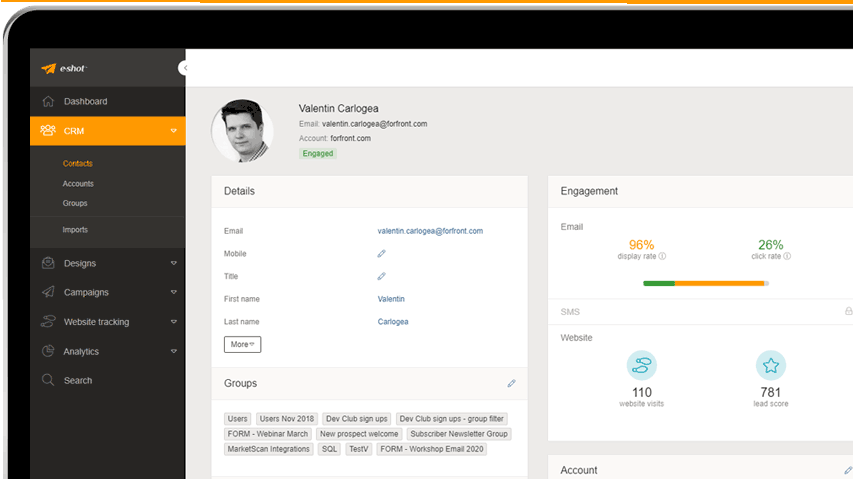
Engaged: Contact has opened an email or clicked on a link in the past 30 days.
Slipping away: The contact has opened an email or clicked on a link in the past 6 months but not the past 30 days.
Disengaged: The contact has opened an email or clicked on a link in over 6 months or no interactions at all.
What are saved filters?
Saved filters are filters you can apply to a group or list of contacts to help filter them. Once you have created a saved filter, it can also be applied to a campaign's audience.
For the full details on saved filters, please see the dedicated saved filters help article here.
You may also like these articles

Best practice
Maintaining your email marketing database
February 22nd, 2019 - Dan Hare
Your email marketing database is like a plant. It needs to be continually fed, watered and pruned if it is to stay in good health, yet...
Solutions

Email Marketing
Create email campaigns and newsletters and manage end-to-end subscription processes with forms and preferences.

Marketing Automation
Create sophisticated automated campaigns for email and SMS combined.

Digital Communication
The comprehensive solution to manage and automate your digital communication across email, SMS, websites and landing pages.

Email marketing healthcheck
We are confident that we can help you, which is why we offer a free healthcheck to identify potential issues with your current programme and free advice on things that could be done to improve it.