Help articles
CATEGORY: CRMFAQs
Using sub-accounts as part of your data management process

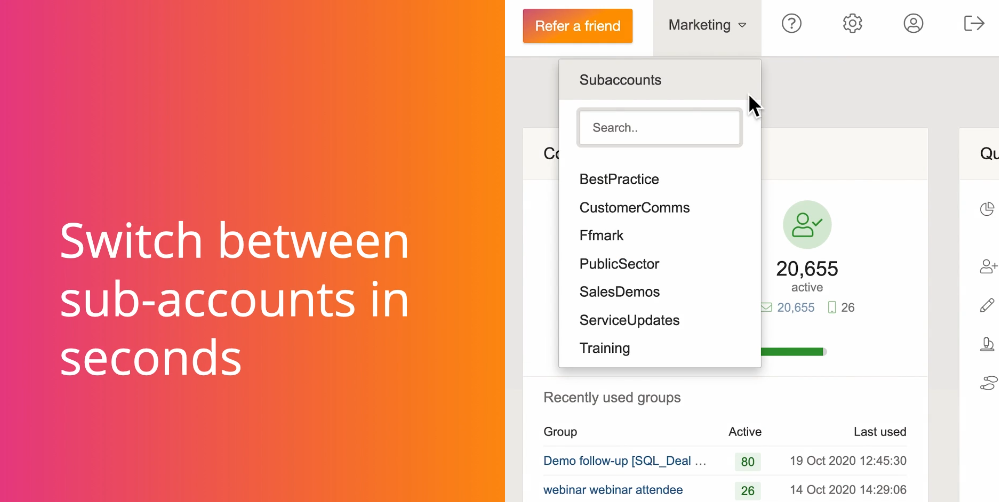
What is a subaccount?
Subaccounts are essentially a copy of the e-shot system under one account. A subaccount provides an ethical wall in your e-shot database between everything within the subaccount, including contact, designs, campaigns and reports. Subaccounts are designed to provide an efficient way to manage email marketing automation for separate brands and business units.
How can subaccounts be used?
Subaccounts have many use cases but here are the common use cases.
Internal and External comms:
For public bodies, keeping your external and internal data separate is key to avoid things like sending the wrong email to the wrong contacts. Using subaccounts would allow you to have two separate versions of e-shot under one roof (one for each comms method).
Several business areas:
Some customers like to keep all their external comms separate from one another, for example a local authority might have several teams that send email communicates, e.g. roads and transport, fostering, schools and learning and social care.
Use of subaccounts here would allow you to keep all these teams separate from one another, again avoiding the scenario where the wrong email is sent to the wrong contacts or even having the incorrect contacts deleted.
Other things to know about using subaccounts
Unsubscribes and other contact level functions are also unique to each sub-account, although there is the facility to unsubscribe a contact from all sub-accounts.
Account Administrators have access to all features in all sub-accounts, but subaccount administrators and individual users can be restricted to a specific sub account. This means that clients can be given direct access to the e-shot interface.
A regular e-shot user can also have access to multiple subaccounts if they need it.
Each sub-account needs a sending domain associated with it. Although it is possible to have a dedicated sending domain for each client, this is not required.
As many subaccounts as you need can be provided ranging from 2 to 10+.
Although sub-accounts create dedicated areas for each business unit, contacts are only counted once across multiple sub-accounts. This means that you do not pay for duplication, but you can keep contact details separate.
You may also like these articles

Best practice
Maintaining your email marketing database
February 22nd, 2019 - Dan Hare
Your email marketing database is like a plant. It needs to be continually fed, watered and pruned if it is to stay in good health, yet...
FAQs Customer Success
Glossary of Terms
October 16th, 2019 - Harry Thomas
Glossary of termsA/B split test: An optimisation technique that divides a contact list in smaller ‘splits’ then sends a user defined variation of...
Solutions

Email Marketing
Create email campaigns and newsletters and manage end-to-end subscription processes with forms and preferences.

Marketing Automation
Create sophisticated automated campaigns for email and SMS combined.

Digital Communication
The comprehensive solution to manage and automate your digital communication across email, SMS, websites and landing pages.

Email marketing healthcheck
We are confident that we can help you, which is why we offer a free healthcheck to identify potential issues with your current programme and free advice on things that could be done to improve it.