Help articles
CATEGORY: Feature Updates
e-shot feature update - November 2026
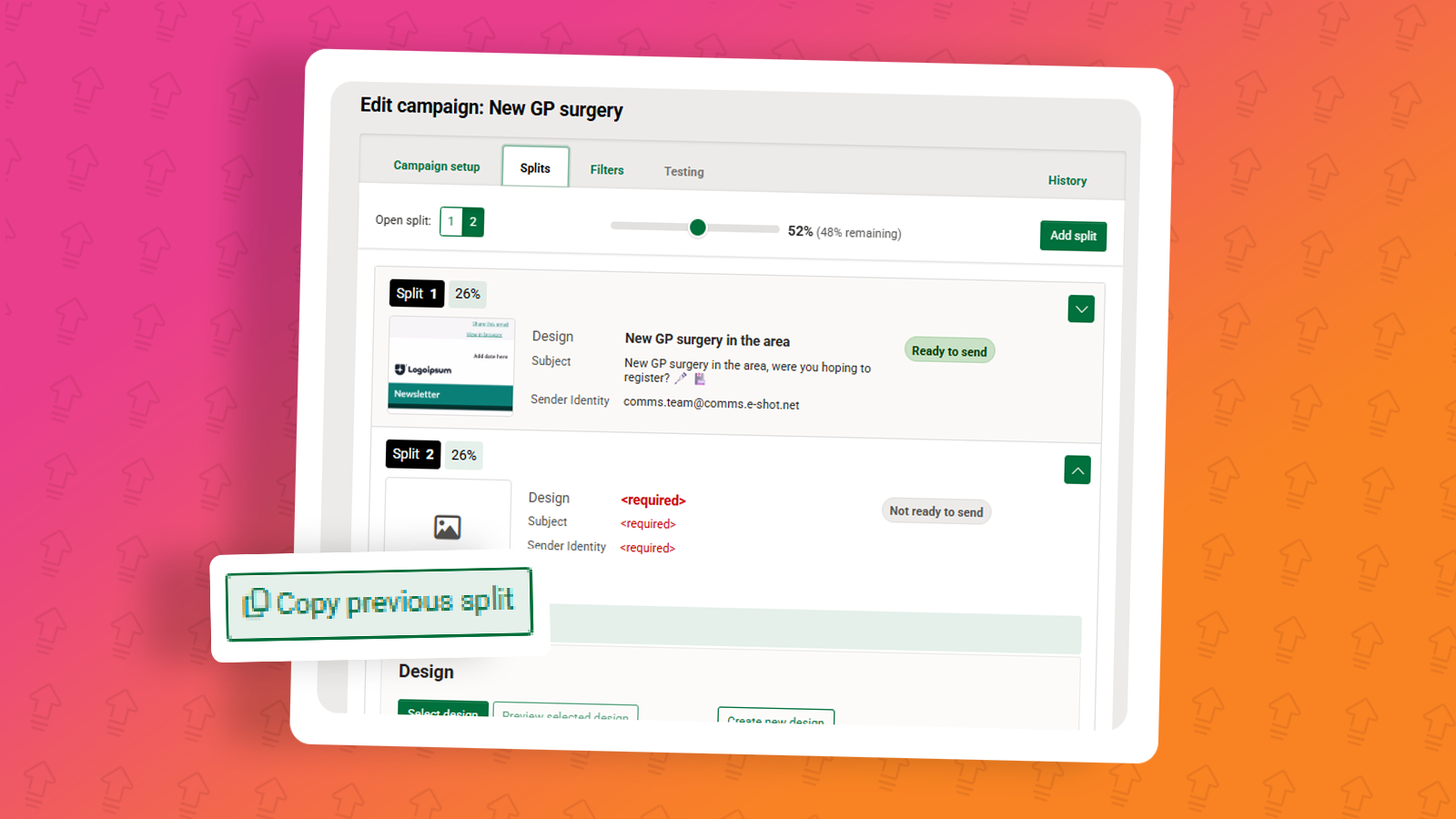
The latest e-shot release is here. Here's what to expect!
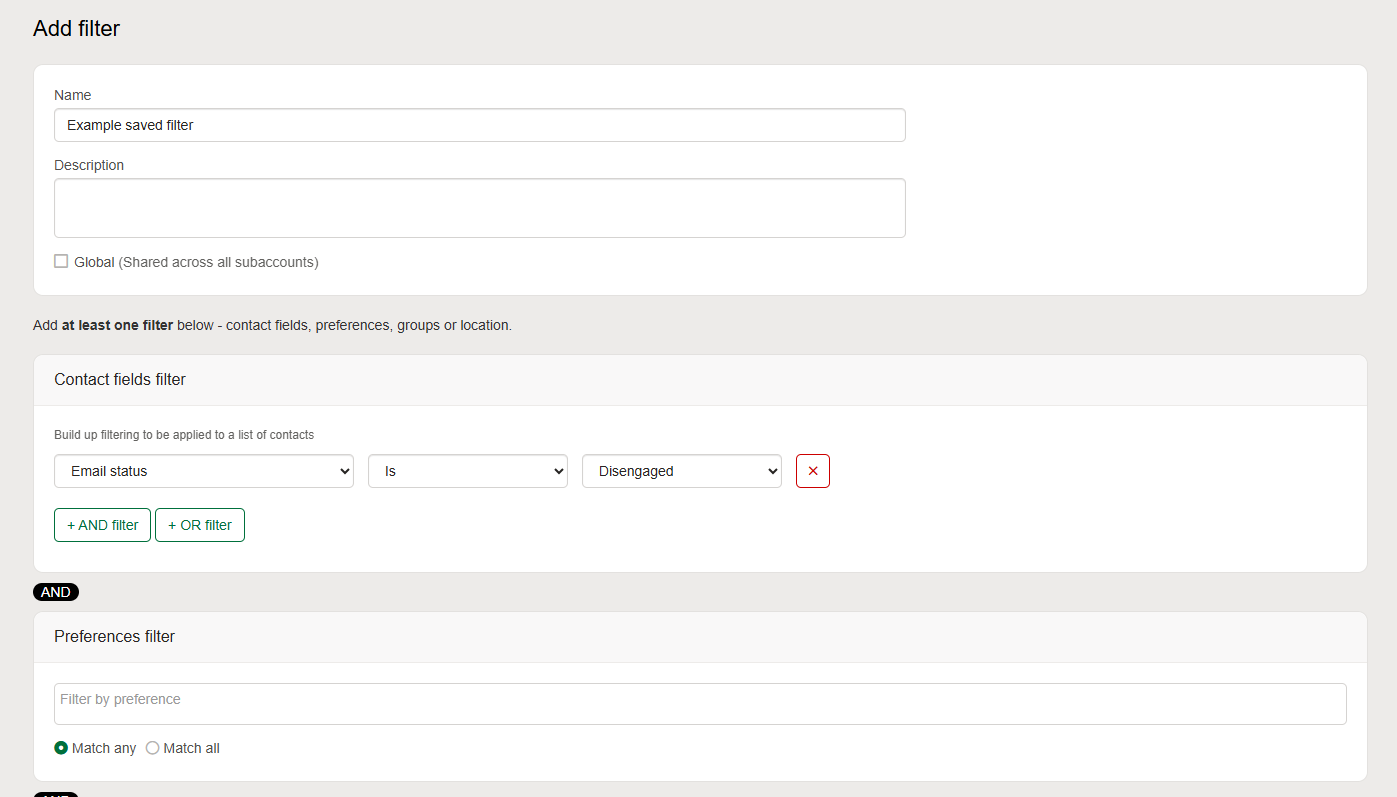
Saved filters
Saved filters are now easier to manage: Adding and editing a saved filter now happens on its own page instead of a pop-up, so you have more room to work. It’s also clearer which filters are in use and why they can’t be changed.
What's new?
Add and edit filters on a dedicated page
Delete a single filter straight from its row
Filters used only by finished campaigns can now be deleted via the row entry
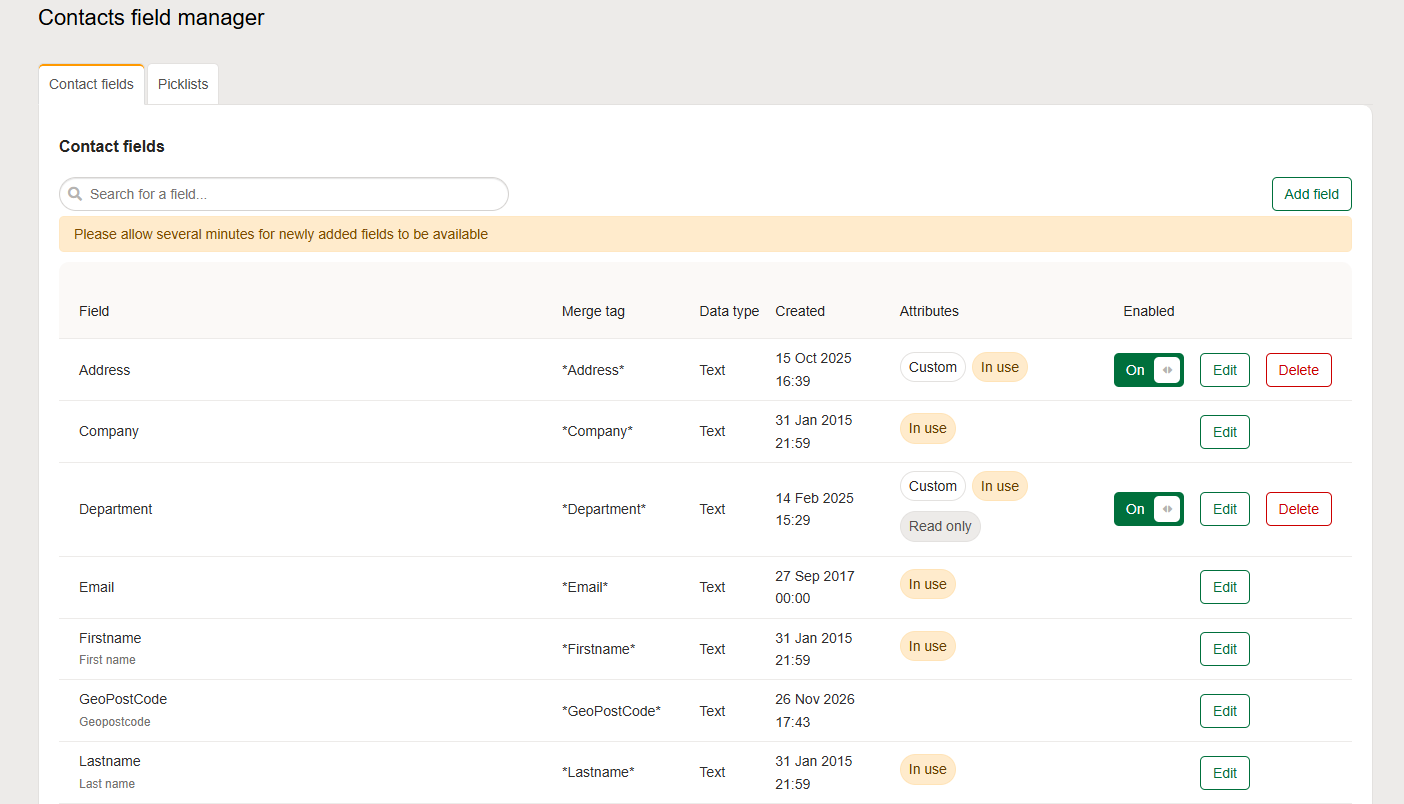
A tidier contact field manager
Adding and editing contact fields now happens on its own page, and the field list is easier to scan. If a field can’t be deleted, you’ll see a clear reason rather than an error.
What's new?
Add and edit fields on a dedicated page, with any errors shown right there
Labels show at a glance if a field is Custom, In use or a Picklist
A clear message explains when a field is used in a saved filter
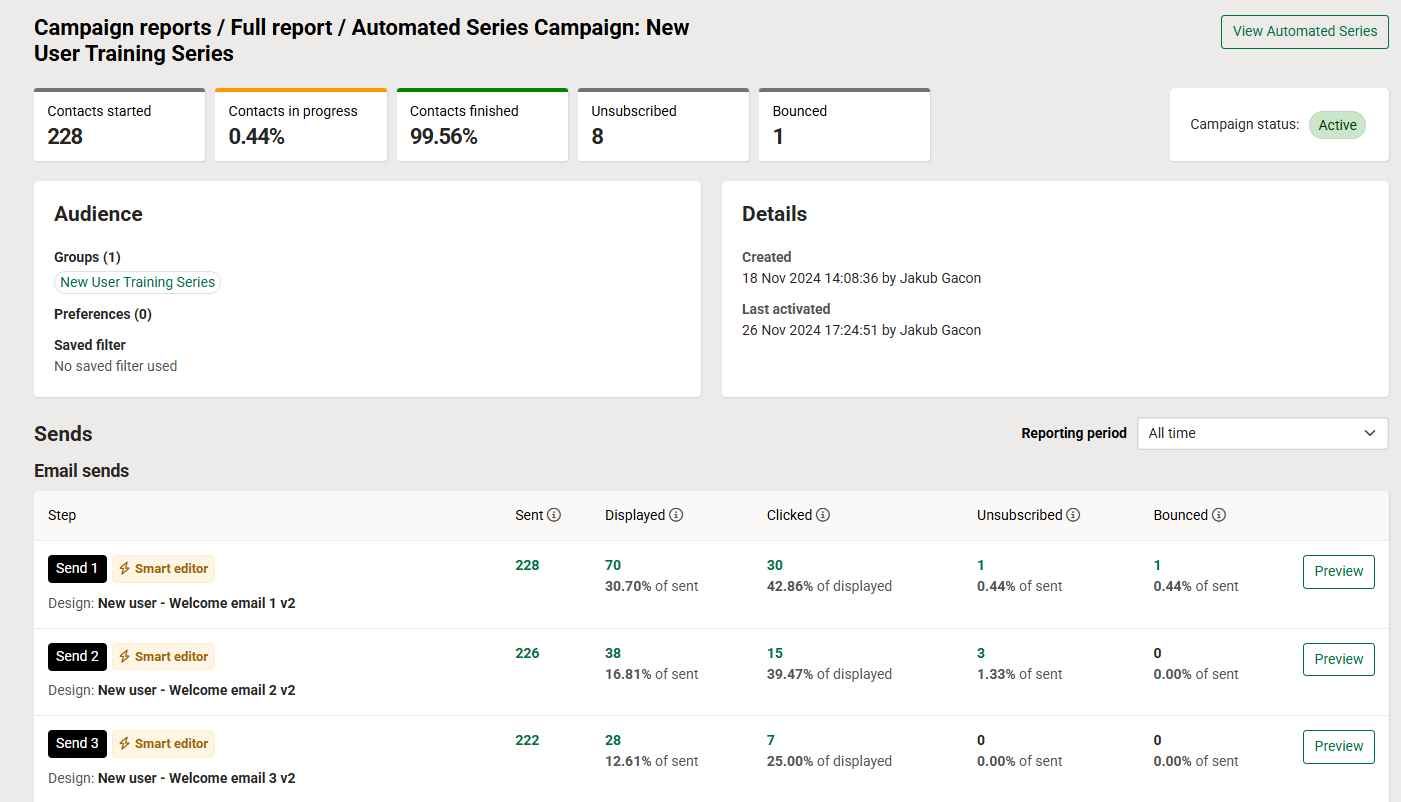
A revamped Automated Series report
We’ve revamped the aggregated report for Automated Series using our new report styling. Your series results are brought together in one place, in a cleaner layout that makes it easier to see how your automation is performing.
Report on your e-shot data in Google Data Studio
e-shot now integrates with Google Data Studio (now called Looker Studio). You can bring your e-shot data into Data Studio and build your own reports and dashboards.
If you're interested in using this feature, please reach out via the Live chat.
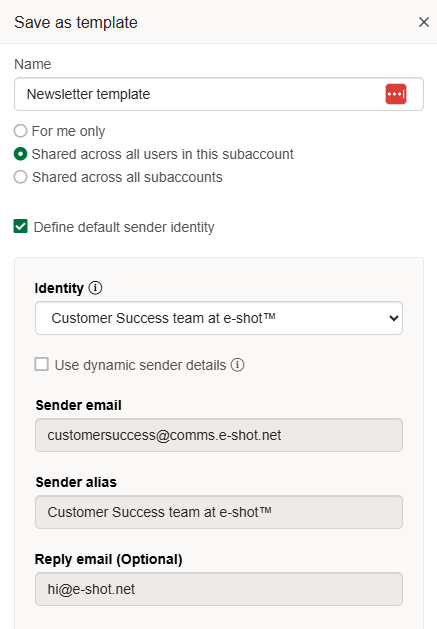
Choose a sender identity as you save a template
You can now set, change or remove a template’s sender identity in the Save and Save As window. There’s no need to save first and then go to Template Details.
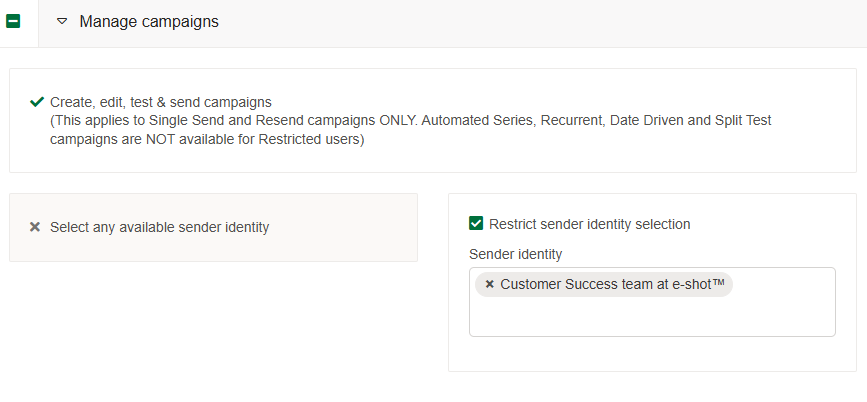
Control which sender identities a user can use
Administrators can now limit a restricted user to a chosen set of sender identities. Until now, restricted users could choose from any sender identity in their subaccount to send a campaign.
Other enhancements
Split-test campaign summaries now have a refresh icon on the Audience row, just like single sends. If a group or preference has changed since you last looked, one click confirms your audience count is still right.
If you build newsletters from an RSS feed, you now have much more control over how each article appears. The merge tag hints in the Smart Editor explains what every merge tag is for.
Your Designs list now loads more designs as you scroll, in the same way as other areas of e-shot. It’s quicker and more consistent to browse.
You may also like these articles
Feature Updates
e-shot feature update - June 2026
June 12th, 2026 - Harry Thomas
As we continue to work on some exciting new features behind the scenes, this release saw multiple enhancements and updates across the e-shot...
Feature Updates
e-shot feature update - September 2026
September 3rd, 2026 - Harry Thomas
The latest e-shot release is here. Here's what to expect! Split test campaign type overhaul New UI Ability to automatically send the winning...
Feature Updates
e-shot feature update - October 2026
October 9th, 2026 - Harry Thomas
The latest e-shot release is here. Here's what to expect! Split test UI In our last product release, we overhauled the split test UI to...
Solutions

Email Marketing
Create email campaigns and newsletters and manage end-to-end subscription processes with forms and preferences.

Marketing Automation
Create sophisticated automated campaigns for email and SMS combined.

Digital Communication
The comprehensive solution to manage and automate your digital communication across email, SMS, websites and landing pages.

Email marketing healthcheck
We are confident that we can help you, which is why we offer a free healthcheck to identify potential issues with your current programme and free advice on things that could be done to improve it.