Blog
CATEGORY: Public SectorBest practice
Pop-ups: From Passive Browsing to Purposeful Action

Pop-ups have come a long way from their clickbait origins. When used with intention and purpose, they can play a vital role in helping public sector organisations connect with the communities they serve. Whether it's improving access to information, promoting key events, or responding to emergencies, pop-ups offer a flexible and impactful way to enhance digital engagement.
Here are five practical use cases that demonstrate just how powerful pop-ups can be on your website:
📬 Use Case 1:
Growing Your Email Audience – The Right Way
Building a quality email subscriber list isn’t about quantity — it’s about timing, relevance and value. Too many sites throw a “subscribe now” box at users before they’ve even engaged. But smarter pop-ups can actually enhance the experience by surfacing the right offer at the right moment.
Think about the many types of content people explore on your site: articles about local services, pages about benefits or childcare, updates on local planning. These are key opportunities to offer a follow-up — “Want more updates like this? Subscribe to our newsletter.” This is especially powerful when paired with segmentation options, such as choosing topics of interest or local area preferences.
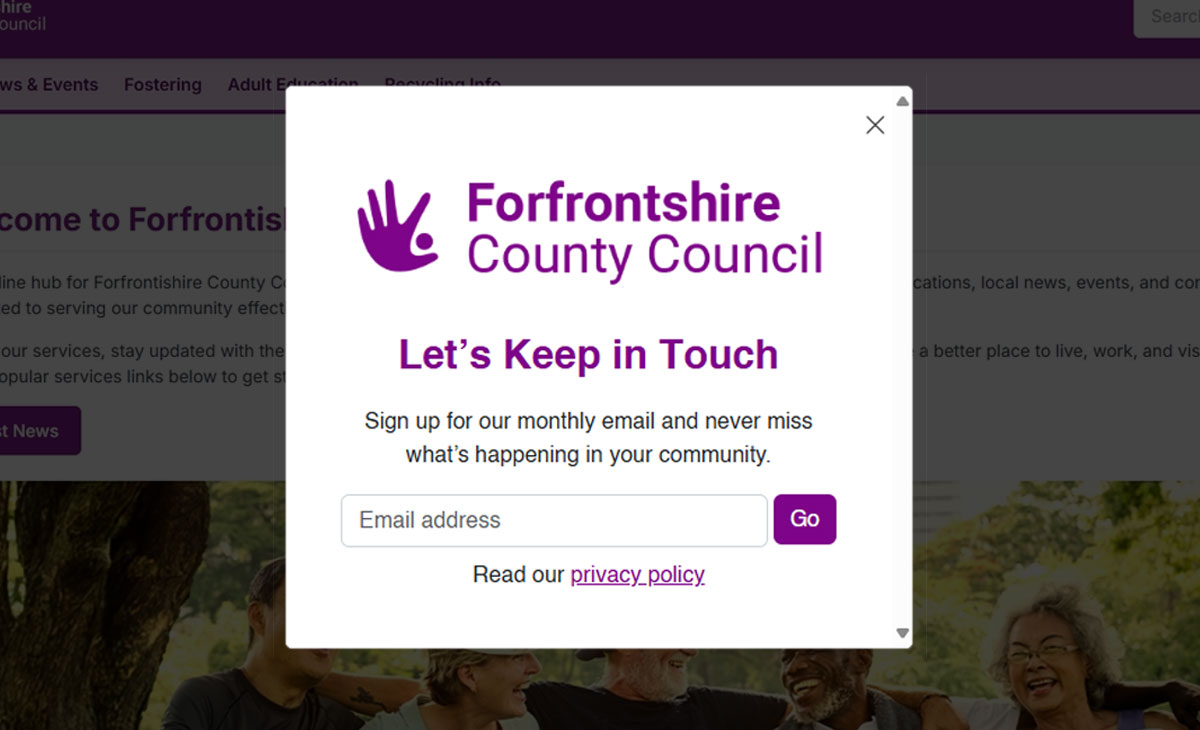
Example: A council website includes a pop-up that appears after a user has viewed two or more pages related to adult social care. It offers a helpful monthly email with news, guidance and updates specific to carers and care recipients. The messaging is clear, supportive and relevant — and the results show it: higher sign-up rates, better engagement, and a mailing list full of people who genuinely want to stay informed.
🚨 Use Case 2:
Urgent Information When It Counts
One of the most essential functions of a pop-up is its immediacy. In the face of disruption — whether planned or unexpected — pop-ups ensure critical information is seen without the user needing to search.
Think of scenarios like school closures, strike action, bin collection changes, or major incidents like road closures or flooding. In these cases, clarity, speed and prominence matter more than style.
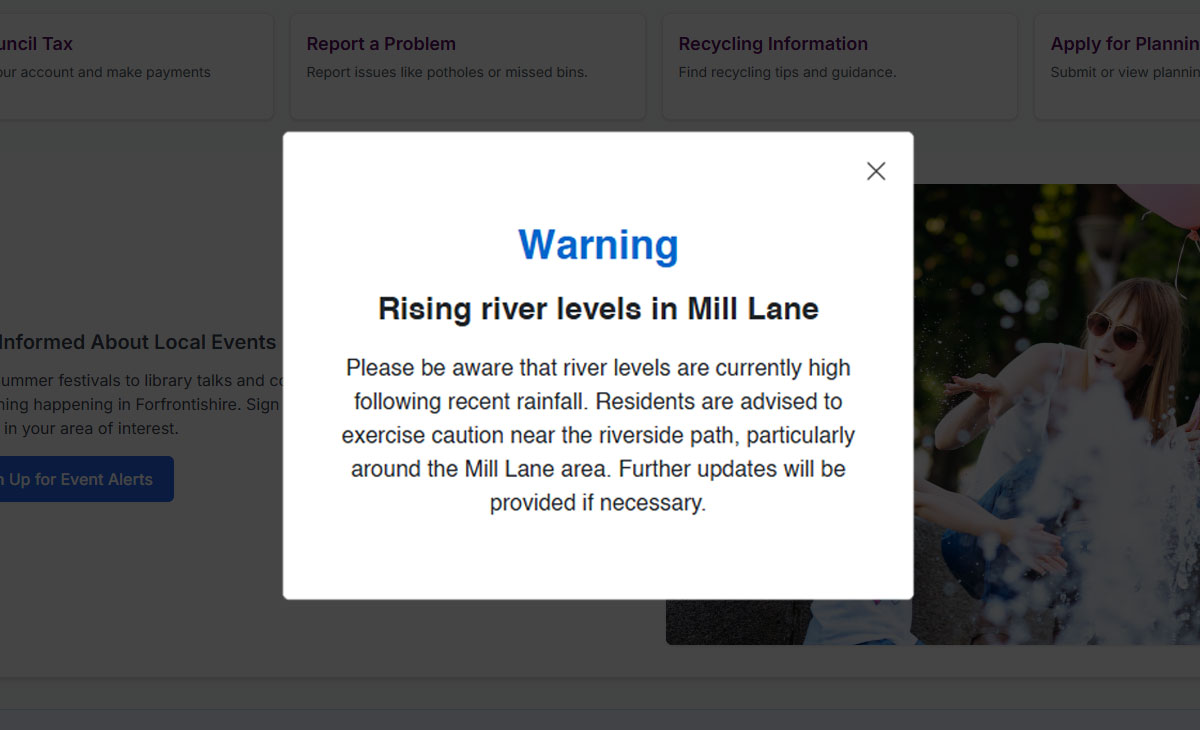
Example: During a period of heavy rain, a local authority triggers a site-wide alert via a pop-up warning of rising river levels. The alert includes a direct link to flood preparedness advice, emergency contact numbers, and a postcode search to check local risk. The pop-up is short, sharp and visually distinct. It's not there to convert — it's there to inform and protect. And it does just that.
👨👩👧👦 Use Case 3:
Supporting Informed Enquiries for Complex Services
Some services aren’t accessed on impulse. Fostering, adoption, and similar long-term commitments require trust, time, and often a lot of reading before someone is ready to engage. Pop-ups can gently guide users towards helpful resources — without pressure.
You might use this approach for:
Encouraging people to request a fostering or adoption info pack
Offering downloadable guides on care services or SEND support
Promoting online workshops or introductory webinars for prospective carers
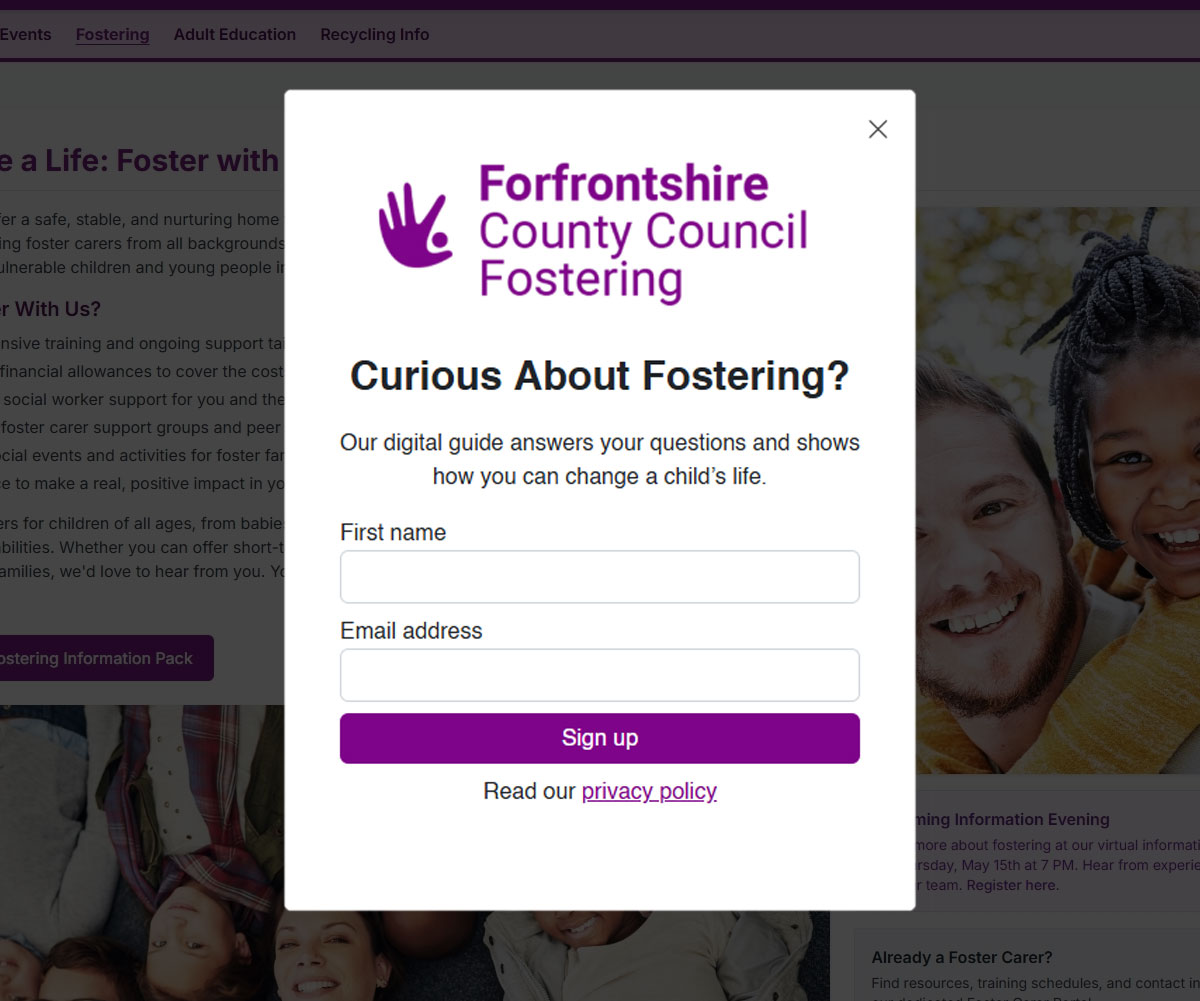
Example: A visitor lands on the fostering section of a council website. After 30 seconds of reading, a pop-up appears: “Considering fostering? Download our free starter pack to learn what’s involved.” The pack includes real stories, FAQs, and a step-by-step process. It’s a low-barrier, trust-building offer that turns a curious browser into an informed potential applicant. Enquiries increase, and early-stage conversations become more productive.
🎓 Use Case 4:
Driving Awareness and Attendance for Local Events
Pop-ups aren’t just for forms — they’re also brilliant for spotlighting local events, open days, and community initiatives. With the right targeting, they can surface relevant opportunities to the people most likely to care.
Common uses include:
Highlighting adult education enrolment periods
Promoting consultations or public forums
Driving attendance to careers fairs or town hall meetings
Reminding users of upcoming webinars or Q&A sessions
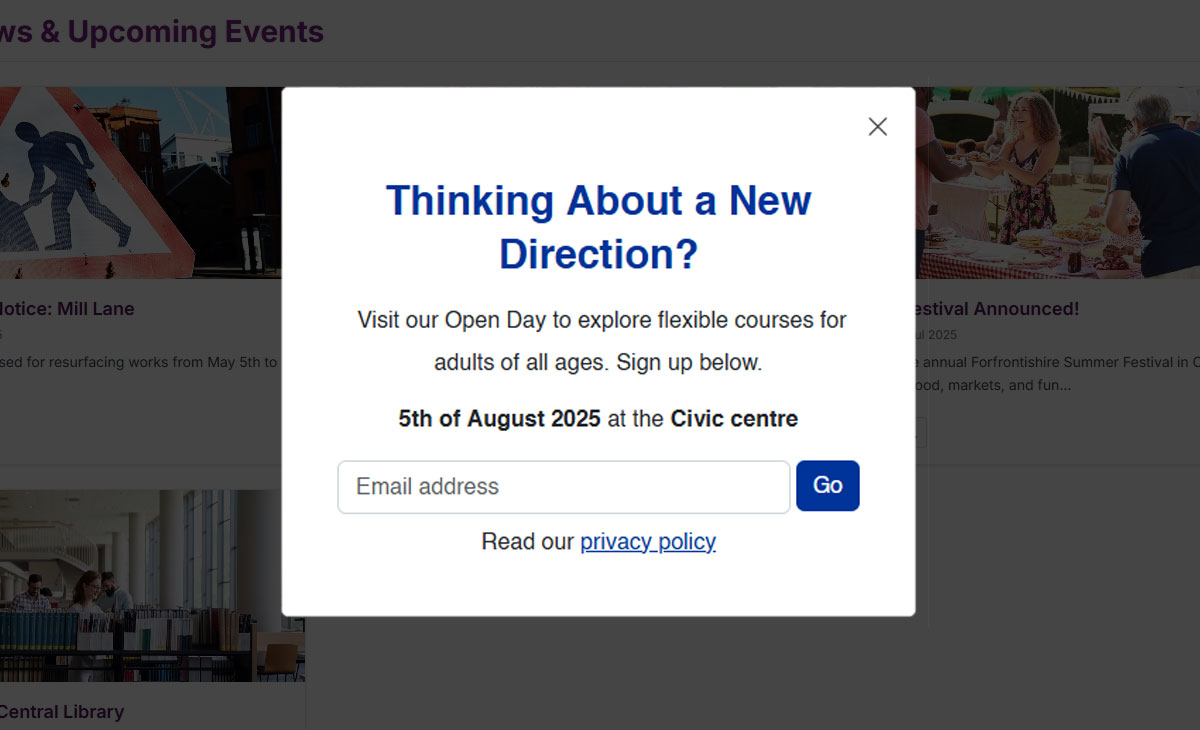
Example: Ahead of an adult learning open day, a council places a pop-up across education and employment pages. It includes the event date, venue, a short teaser (“Discover new courses, speak to tutors, and find funding advice”), plus a call to action to register interest. Visitors who may not have been actively searching for courses suddenly discover a relevant local opportunity — and attendance numbers reflect that.
This isn't a hard sell. It’s useful, timely, and helps your community access what’s available to them.
📚 Use Case 5:
Guiding Visitors to High-Value or New Content
Websites are rarely static — new sections launch, old content gets revamped, and service areas evolve. But even with a great navigation menu, some important pages never get the attention they deserve.
Cross-site promotion pop-ups are perfect for:
Announcing new service pages or features
Highlighting digital tools or booking systems
Directing visitors to underused but valuable content
Supporting internal campaigns (e.g. “Did you know we offer...?”)
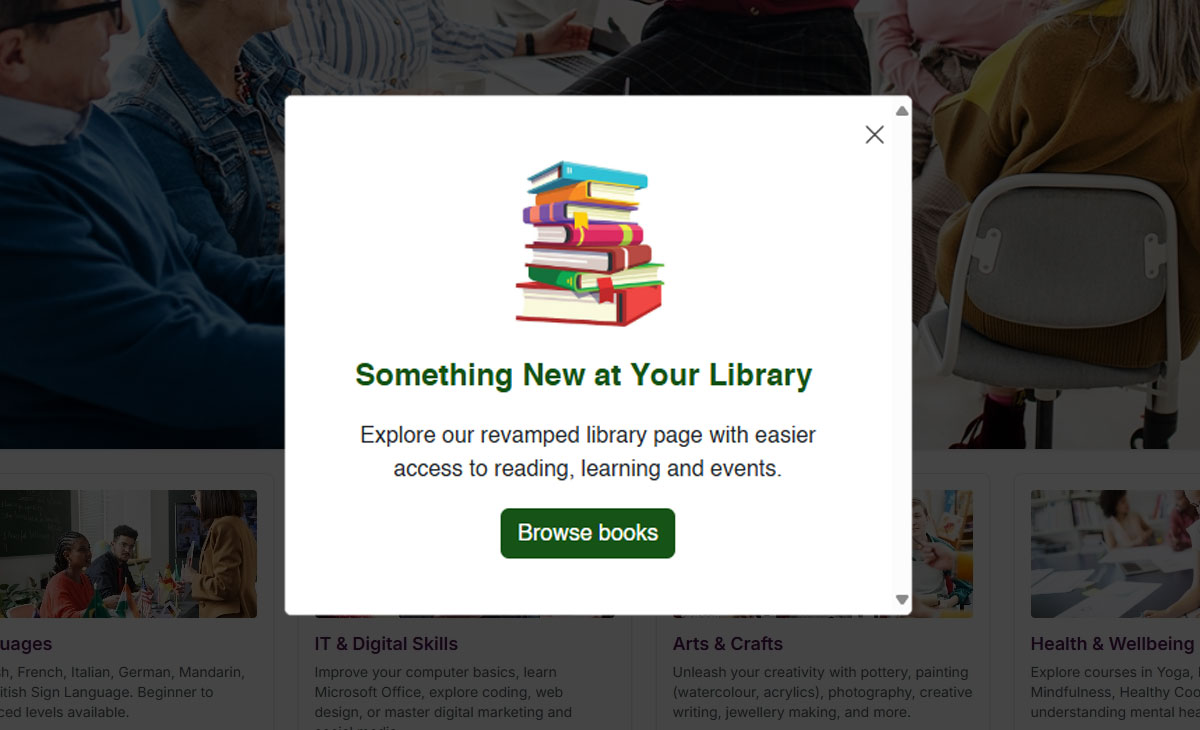
Example: A district council launches a new digital library hub, with e-books, audiobooks, and virtual events. To drive traffic, they add a light-touch pop-up to high-traffic pages like leisure, education, and children’s services. The message? “📚 Discover our new digital library – borrow books online anytime!” This cross-site nudge increases awareness, boosts usage, and supports wider goals around digital inclusion and access.
From Passive Browsing to Purposeful Action
Website pop-ups, when used strategically, are far more than marketing tools. They’re prompts — gently turning passive browsing into informed action. Whether it’s staying informed, taking part in events, or getting help during a crisis, the right pop-up can guide the right user at the right moment.
✅ Key Success Factors:
Context is everything – match the message to the page and user behaviour
Be helpful, not pushy – offer value, not a distraction
Prioritise accessibility – mobile-first, screen-reader friendly, and easy to dismiss
Think across teams – pop-ups can support multiple departments and goals
Pop-ups don’t have to be annoying. Done well, they’re an essential part of a modern, user-focused public sector website.
Solutions

Email Marketing
Create email campaigns and newsletters and manage end-to-end subscription processes with forms and preferences.

Marketing Automation
Create sophisticated automated campaigns for email and SMS combined.

Digital Communication
The comprehensive solution to manage and automate your digital communication across email, SMS, websites and landing pages.

Email marketing healthcheck
We are confident that we can help you, which is why we offer a free healthcheck to identify potential issues with your current programme and free advice on things that could be done to improve it.